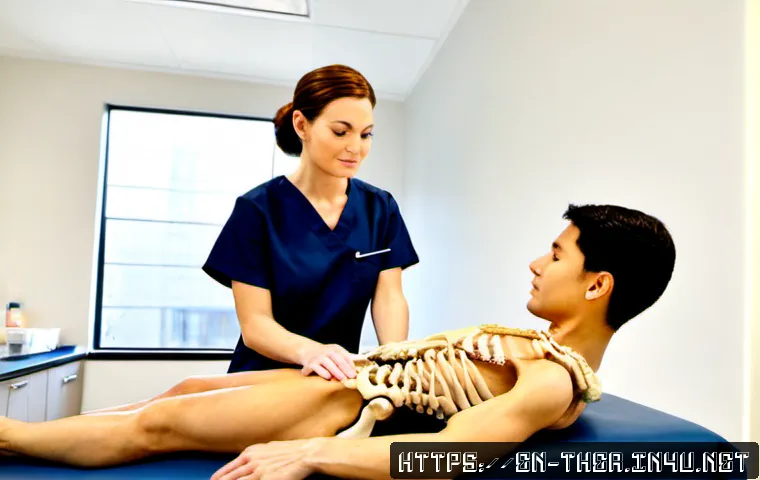
A physical therapist’s daily work log can improve organization, handoffs, and workload visibility, but it should not replace required clinical documentation.

The safest approach is to keep official patient notes in the approved record system and use a separate, privacy-conscious log for workflow or operational tracking.
A simple paper checklist or spreadsheet may be enough for limited non-identifiable tasks. As a clinic grows, physical therapy documentation software or an integrated EHR may reduce fragmented workflows by bringing notes, scheduling, billing, reporting, and access controls together.
The right choice depends on privacy rules, team size, documentation requirements, and how much administrative work is being repeated each day.
At a Glance
- Use official records for patient care documentation, including treatment activities, patient response, and next-step considerations.
- Use a daily work log for workflow visibility, such as follow-ups, equipment issues, scheduling friction, and handoff reminders.
- Protect patient information by following approved systems, access controls, and applicable privacy requirements.
| Logging Method | Privacy Controls | Collaboration and Reporting | Best-Fit Use |
|---|---|---|---|
| Paper checklist | Depends on secure physical storage and limited access | Limited; not ideal for shared updates | Simple non-identifiable personal workflow prompts |
| Spreadsheet | Depends on approved storage, permissions, and sharing settings | Useful for basic workload review and sorting | Small-team operational tracking where use is approved |
| Secure documentation app | May offer access controls, depending on the product and setup | Can support structured individual or team workflows | Teams needing more structure without a full clinic platform |
| Integrated PT EHR | May combine role-based access and record controls | Can connect scheduling, notes, billing workflows, and reporting | Clinics managing frequent handoffs and administrative complexity |
The Practical Role of a Daily Log in Physical Therapy Work
A daily log is most useful when it gives the therapist a clear view of unfinished work without creating a second, competing patient record. It can support continuity of care by helping staff remember treatment-related follow-up, equipment concerns, handoff items, and administrative tasks. The important condition is that the log has a defined purpose and stays within the organization’s approved workflow.
Three Simple Rules for Daily Logging
Track: workflow items, completed administrative tasks, follow-up needs, team handoffs, and operational barriers.
Document officially: treatment activities, patient response, and care-related next-step considerations in the required clinical record.
Avoid: treating a personal notebook, unsecured file, or informal message thread as the official patient note.
Separate Clinical Documentation From Workflow and Operations Tracking
Clinical documentation and productivity logging answer different questions. A patient-care note records what belongs in the formal record. A personal workflow log may answer, “Which follow-up needs attention?” A clinic operations log may answer, “Where are scheduling delays or equipment issues occurring?”
Separating these uses prevents confusion. It also reduces the chance that a therapist leaves meaningful clinical information in a place other team members cannot access. A standardized template can help reduce omitted fields, but it should leave room to describe meaningful clinical changes rather than forcing every visit into the same wording.
Support Continuity Without Creating Duplicate Records
A useful daily log should point back to the approved documentation process, not duplicate it. For example, a workflow prompt can say “confirm handoff completed” or “review pending follow-up,” while the actual care information remains in the designated patient record. This approach keeps the log brief and lowers the risk of conflicting entries.
Choose the Right Logging Method: Paper, Spreadsheet, Secure App, or Integrated EHR
The best method is not always the most complex one. Choose based on the type of information being tracked, the need for collaboration, approved privacy practices, and the amount of administrative work the clinic handles.
When a Low-Cost Manual System Is Enough
A paper checklist or approved spreadsheet can work for an individual therapist who needs a short end-of-day task list and does not need to store patient-identifiable information. It may also suit a small clinic reviewing general workflow patterns, such as missed equipment checks or recurring scheduling bottlenecks.
The limitation is visibility. Manual tools can become hard to search, difficult to share safely, and inconsistent across staff members. They also require careful control over where they are stored and who can view them.
When EHR or Practice-Management Software May Justify Its Cost
Physical therapy EHR software or a clinic management system may be worth evaluating when staff repeatedly move between scheduling, treatment notes, billing workflow tools, reporting, and team communication. An integrated platform may reduce the need to reconcile separate files and may provide role-based access features.
Before selecting a platform, do not assume that every product has the same compliance features, integrations, contract terms, or template flexibility. Review the official product details and confirm whether the workflow fits the clinic’s approved documentation process.
Build a Daily Workflow Log That Supports Better Clinical Work
A good log is short enough to use consistently and specific enough to guide action. It should help therapists close the loop on work, rather than become another documentation burden.
Track Practical Milestones and Handoffs
Useful categories may include treatment-plan follow-up reminders, care-team handoffs, equipment concerns, referral follow-up, scheduling issues, and unfinished administrative tasks. For clinic operations, teams may also track recurring process barriers without adding unnecessary patient details.
Use Neutral, Factual Wording
Write what happened, what needs follow-up, and who should address it. Avoid unsupported conclusions or vague phrases such as “handle later.” A clearer prompt is “confirm next-step communication through the approved workflow.” If a meaningful clinical change needs to be recorded, place it in the required clinical documentation system.
Create a Short End-of-Day Review Routine
At the end of the day, review open tasks, confirm that required notes are complete in the approved system, identify handoffs for the next shift, and remove or securely dispose of temporary reminders according to clinic policy. This small routine can make the next day’s workload easier to see without turning a work log into a duplicate chart.
Avoid Documentation and Privacy Mistakes
Daily logs can be helpful, but informal tools create risk when their purpose, storage, or access is unclear. The safest practice is to use only methods permitted by the employer or practice and to keep the log limited to what it needs to accomplish.
Do Not Substitute a Personal Log for Required Notes

A work log can complement formal records, but it cannot replace clinical documentation that may be required by an employer, payer, licensing authority, privacy rule, or record-retention policy. These requirements vary by location and setting, so therapists should confirm the standards that apply to their role.
Avoid Unsecured Devices, Shared Files, and Unnecessary Identifiers
Patient-identifiable information requires appropriate privacy safeguards and access controls. Avoid placing unnecessary identifiers in personal notes, shared spreadsheets, unapproved apps, or devices that are not secured according to organizational policy. When in doubt, ask whether the information belongs in the approved record system instead.
Watch for Duplicate Entries and Vague Action Items
Copied-forward text can obscure meaningful changes. Duplicate notes can also create confusion if details differ between locations. Keep workflow prompts distinct from clinical notes, make action items specific, and close or remove completed reminders through the approved process.
Adapt the Log for Different Practice Settings
One log structure does not fit every rehabilitation environment. The categories should reflect the setting while maintaining the same boundary: official care documentation stays in the appropriate patient record.
Outpatient Clinics
Outpatient teams may focus on scheduling flow, visit follow-up, plan-of-care reminders, equipment availability, and coordination between front-desk and clinical staff. A practice management system can be useful when these steps frequently overlap with documentation and billing workflows.
Hospitals and Multidisciplinary Teams
Hospital-based therapists may need strong handoff clarity. A concise workflow log can highlight escalation items, pending coordination tasks, and communication needs across disciplines. It should not replace required documentation or approved team communication channels.
Independent Practitioners
Independent practitioners may use a non-identifiable workflow log to review time spent on administrative work, referral follow-up, scheduling tasks, and business operations. If patient data must be documented, storage and access should align with the approved record system and applicable requirements.
Selection Criteria and Comparison Summary
Before choosing a paper process, spreadsheet, secure note tool, or integrated PT EHR, compare these decision points:
- Security: Who can access the information, and is the storage method approved?
- Billing integration: Does the clinic need documentation, scheduling, and billing workflows in one system?
- Template flexibility: Can the system support consistent fields without hiding meaningful clinical changes?
- Reporting needs: Does the team need operational visibility beyond individual task lists?
- Staff training time: Can the team adopt the workflow consistently without creating more work?
- Implementation effort: Will the tool reduce fragmented processes, or simply add another place to check?
For individual therapists, a brief approved workflow checklist may be sufficient. Small clinics may benefit from shared operational tracking with clear permissions. Larger teams that coordinate scheduling, notes, billing, and reporting may have a stronger reason to compare integrated documentation and clinic-management software. Review official product pages for security options, billing compatibility, template controls, and implementation details before making a purchase decision.
In Closing
A daily work log is most effective when it has a narrow, practical role. It can improve task visibility, handoffs, and clinic operations while formal patient-care information remains in the required record. Start with the smallest approved process that solves the problem. If manual tracking creates repeated administrative work or poor visibility across the team, it may be time to evaluate a more integrated EHR or practice-management workflow.
Useful Information to Keep in Mind
1. A standardized format can reduce missed workflow items.
2. Flexibility still matters when meaningful clinical changes need to be captured in the official record.
3. A log should make the next action clear: complete, follow up, hand off, or escalate through the approved channel.
Important Considerations
Documentation, privacy, payer, employer, licensing, and record-retention requirements vary by setting and location. Confirm whether a personal or shared work log is permitted outside the organization’s approved system. Do not assume that a specific EHR platform, spreadsheet, or note tool meets the requirements for your clinic without reviewing its features and your organization’s policies.
Frequently Asked Questions
Q1. Can a physical therapist use a personal daily work log instead of an official patient note?
A1. No. A personal work log can support organization and follow-up, but it should not replace required clinical documentation. Treatment activities, patient response, and next-step considerations should be recorded in the approved system when required.
Q2. What should a physical therapy daily log include without creating privacy risks?
A2. Focus on non-identifiable workflow prompts, such as open follow-ups, equipment concerns, scheduling issues, and handoff tasks. Avoid unnecessary patient identifiers, unsecured files, and storage methods that are not approved by the organization.
Q3. When is it worth paying for physical therapy EHR or practice-management software?
A3. It may be worth comparing paid options when separate tools for notes, scheduling, billing, reporting, and staff coordination create repeated work or unclear handoffs. Compare security, billing integration, template flexibility, reporting needs, and staff training time before deciding.